Participate and track
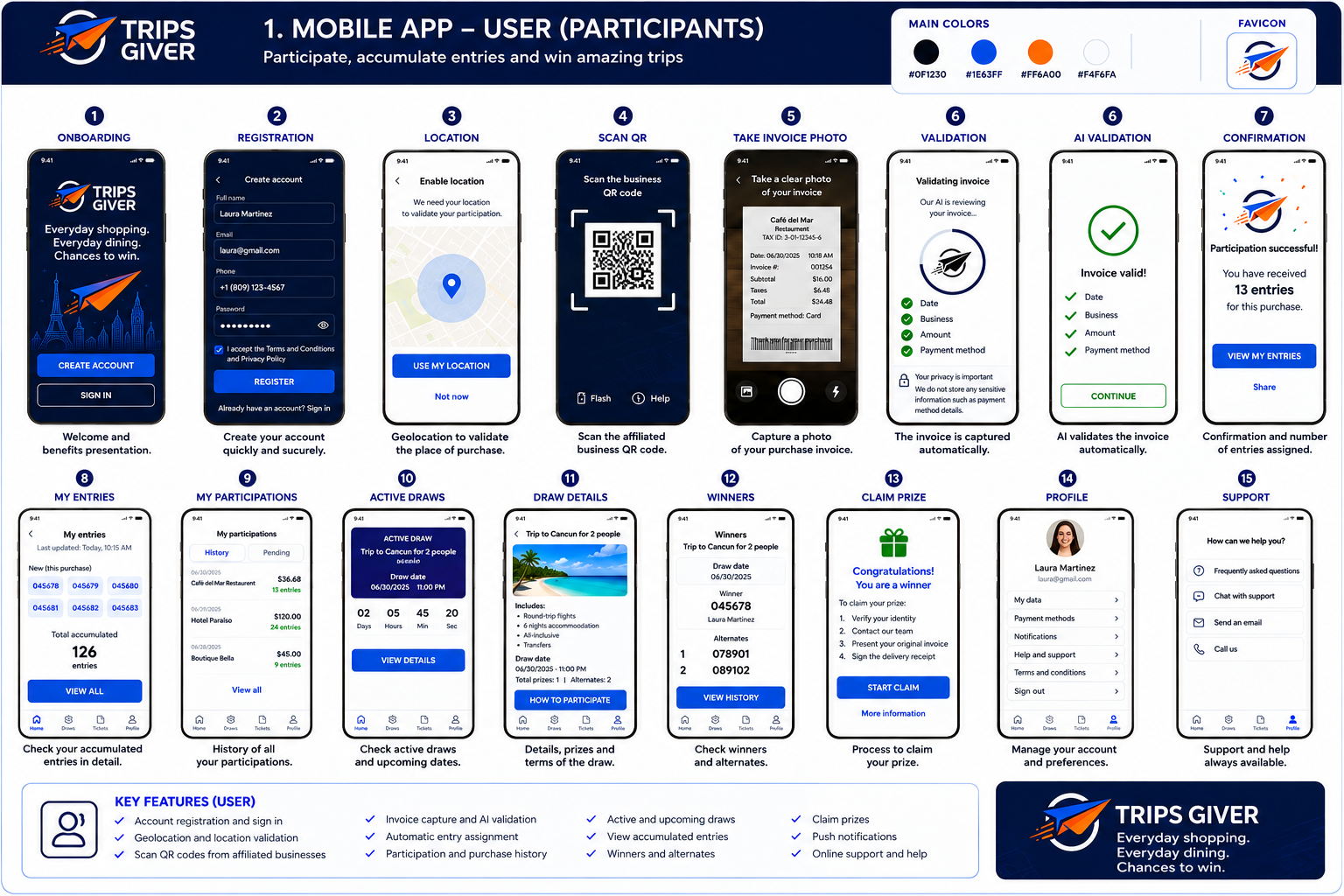
Create an account, identify a business, submit a receipt and review participation numbers, drawings and results.
 Development concept
PRODUCT OVERVIEW / OCTOBER 2026
Trips Giver is a platform concept for customer loyalty, promotional participation and prize drawings, with travel experiences illustrated as prizes.
Explore how it worksProduct in development. The screens and workflow on this page illustrate planned functionality.
WHAT THE SOFTWARE IS DESIGNED TO DO
Create an account, identify a business, submit a receipt and review participation numbers, drawings and results.
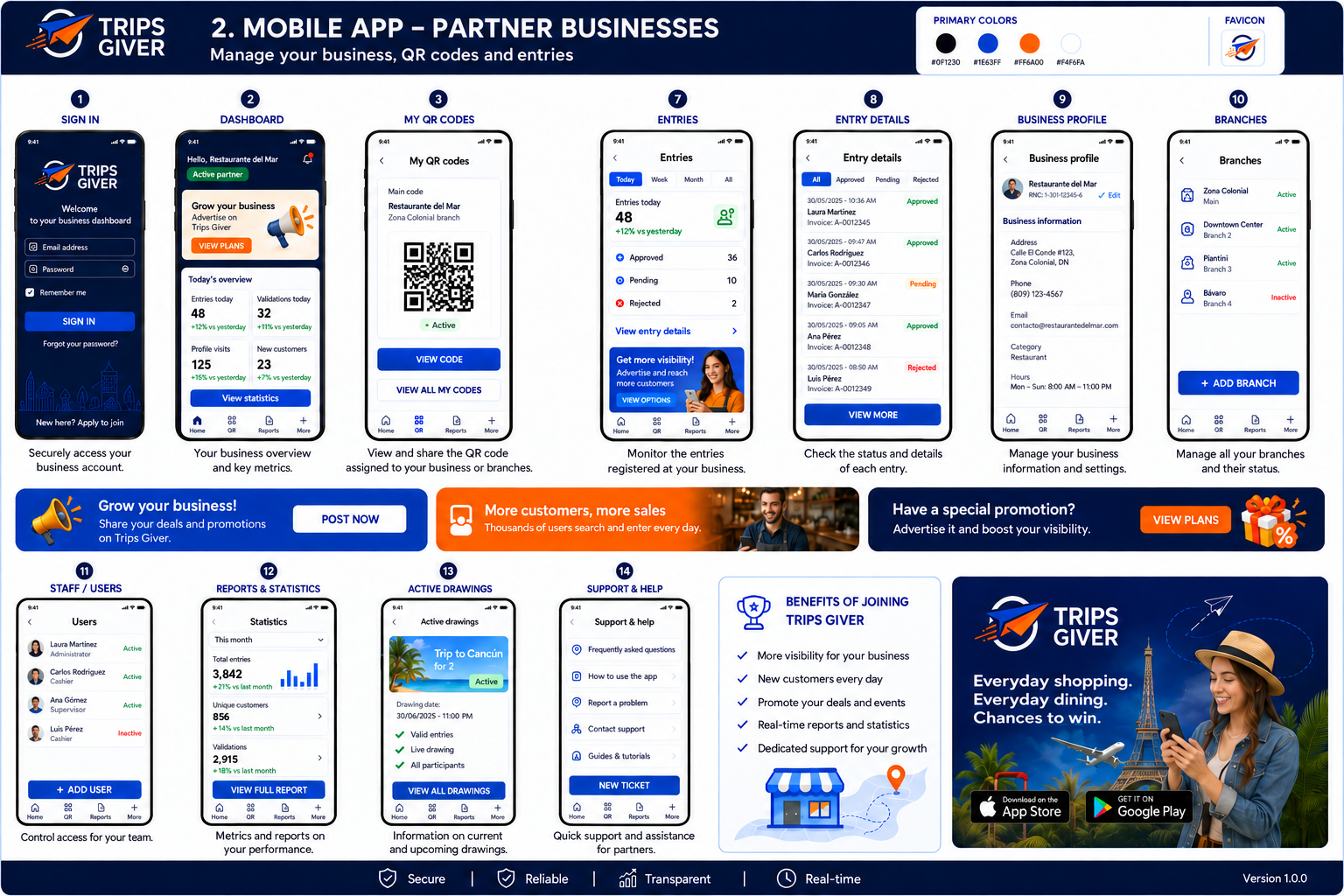
The partner app concept includes business QR codes, participation records, branch and staff management, reports and promotional options.
The design includes automated receipt review, entry assignment, participation history, notifications and prize-claim steps.
THE CUSTOMER JOURNEY
Explore each screen of the planned customer app, from registration and receipt validation to participation history, drawings and support.
SCREEN 01 / ONBOARDING
The welcome screen introduces Trips Giver and offers two starting points: create a new account or sign in to an existing one.
WHAT THE SCREEN SHOWS
Development mockup
Screen numbers follow the original mockup; screen 06 shows both validation in progress and its result.
THE PARTNER EXPERIENCE
The planned partner app brings together business QR codes, entry records, branches, staff and reports. Explore each screen from the supplied design.
SCREEN 01 / SIGN IN
The partner signs in with an email address and password. The concept also includes a remember-me option, password recovery and a link to request partner membership.
WHAT THE SCREEN SHOWS
Development mockup
Screen numbers follow the original mockup.
UNDERSTANDING THE PRESENTATION
The original design illustrates a trip as a promotional drawing prize. Its consumer journey focuses on participation, entry tracking, results and prize claims. The supplied screens do not show a travel search or booking workflow.
This page presents a product in development. It is an explanatory overview, not a working consumer app or evidence of a commercial launch. The buttons in the original mockups are part of the design image.
Final program rules, eligibility, participation methods, entry calculations, prize details and launch availability are not established by this presentation. Sample screen content should not be read as an active offer.
The concept shows AI-assisted receipt validation with checks for date, business, amount and payment method. It then shows confirmation and assigned participation numbers. This page does not run that validation or specify its final technical implementation.